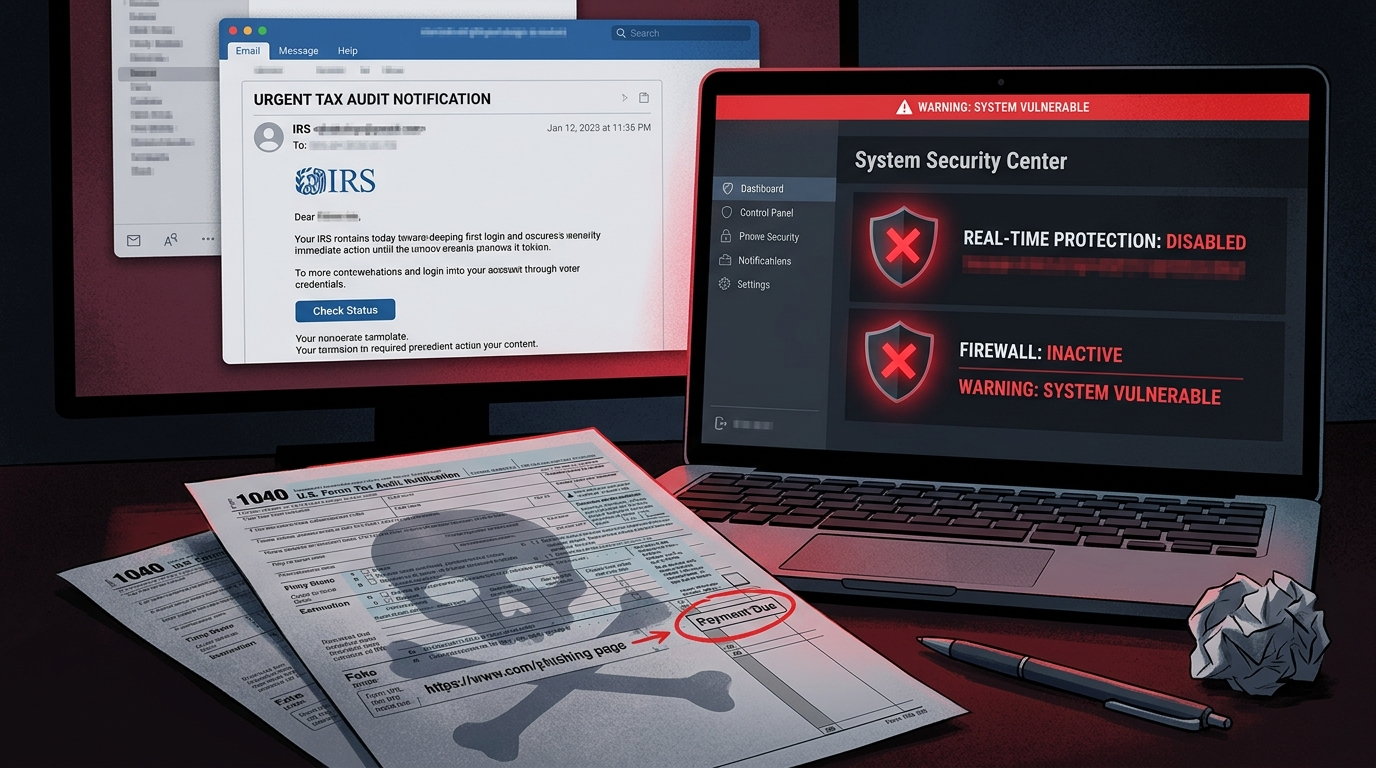
Why Criminals Love April 15
The April 15 tax deadline creates a perfect storm for social engineering attacks.
You’re under pressure. Deadlines make people click without thinking. A refund notice or an urgent “action required” from the IRS feels like something you need to handle now — not something to carefully scrutinize.
The emails look legitimate. Tax forms, IRS notices, TurboTax alerts, and W-2 correction notices are documents most people have received at least once. Criminals exploit that familiarity.
The stakes feel high. Nobody wants to miss a filing deadline or lose a refund. That anxiety is a feature, not a bug, for attackers.
The volume is enormous. The IRS consistently ranks phishing and impersonation as the #1 threat on their annual “Dirty Dozen” scams list — and 2026 is no exception. Researchers at Microsoft have tracked multiple simultaneous campaigns this tax season, targeting financial services, technology companies, healthcare, and retail — not just individuals.
The FBI reports that tax-related fraud losses run into the hundreds of millions every year. And that’s only what gets reported.
This year, though, the scams have evolved. It’s no longer just about stealing your Social Security number or your refund. The new target is your security software itself.
What Is EDR? (And Why Attackers Need to Kill It)
If you’re not deep into tech, you may have heard terms like “antivirus,” “endpoint security,” or “EDR” and assumed they’re all the same thing. They’re not — but the distinction matters here.
Antivirus is the older concept. It works like a bouncer with a list — if a file matches a known bad signature, it gets blocked. Simple, but easy to fool with new or slightly modified malware.
EDR — Endpoint Detection and Response — is the modern replacement. Think of it as a security camera that watches everything your computer does, not just files. It monitors behavior: what processes are running, what files are being opened, what network connections are being made, what’s being written to memory. It’s looking for suspicious patterns, not just known signatures.
Tools like CrowdStrike Falcon, SentinelOne, Microsoft Defender for Endpoint, and Carbon Black are EDR solutions. They’re used by businesses of all sizes. When something starts behaving like malware — even if it’s never been seen before — EDR notices and raises an alarm.
This is a problem for attackers. Because if EDR is watching, their tools get caught.
So now, their first move is to blind it.
”Living Off the Land” and the Driver Trick — In Plain English
Modern attackers have two clever tricks that make them nearly invisible to security software.
Living Off the Land (LOLBins)
Imagine a burglar who breaks into your house but only uses tools already in your kitchen — your knives, your rope, your extension cords. They brought nothing that would show up on a security scan because everything they’re using belongs to you.
That’s what “Living Off the Land” means in cybersecurity. Attackers use legitimate tools that are already on your computer — Windows PowerShell, the command prompt, built-in system utilities — to do their dirty work. Because these tools are legitimate, security software often doesn’t flag them.
Spreading malicious code using tools that are supposed to be there is much harder for defenders to catch.
Bring Your Own Vulnerable Driver (BYOVD)
This one is more technical but the concept is simple once you understand it.
Your operating system has a strict hierarchy. Most programs run in “user mode” — they can do things, but the operating system has limits on what they can touch. The deepest layer of the system — the kernel — is where the real control lives. Security software like EDR runs with special privileges, some even at the kernel level, so it can monitor everything.
But here’s the catch: device drivers — software that helps hardware like printers, sound cards, and graphics cards communicate with Windows — are allowed to operate at the kernel level. And some older drivers have vulnerabilities that were never patched.
In the 2026 tax scam attacks documented by Huntress, attackers used a signed, legitimate Huawei audio driver with a known vulnerability. Since it’s signed by a real manufacturer, Windows loads it without complaint. Then the malware exploits the vulnerability in that driver to reach into the kernel — and from there, it can terminate EDR processes directly.
This tool was called HwAudKiller. It doesn’t need to hack your antivirus. It reaches around it, to a level where antivirus can’t protect itself, and turns it off like a light switch.
Once your EDR is dead, there are no more alerts. No more detections. The attacker has free run of your system.
The Full Attack Chain: Step by Step
Here’s exactly how the 2026 tax-season EDR kill chain works, from the moment you’re targeted to the moment the attacker owns your machine:
Step 1: The Malicious Search Ad
You search for something completely routine — “W-2 form download,” “W-9 tax forms 2026,” “TurboTax download.” A sponsored result appears at the top. It looks like a real site. You click it.
This is malvertising — malicious advertising. Attackers paid for a Google Ad (or similar platform) that appears when you search for tax-related terms. The ad directs you to a convincing fake site like “bringetax[.]com” or similar.
The cloaking trick: The fake sites detected in this campaign used two layers of cloaking software — one called Adspect and one called JustCloakIt. When Google’s automated security scanners check the site, they see a clean, normal page. When a real person visits it, they see the malicious payload. This is why Google’s ad review doesn’t catch it.
Step 2: The Fake Installer
The site prompts you to download something. In the detected campaign, it was a fake installer for ConnectWise ScreenConnect — a legitimate remote access tool used by IT departments everywhere. Because it looks like something real and familiar, people download it.
This is the “Trojanized” version: it looks like ScreenConnect but it’s carrying extra cargo.
Step 3: Multiple Remote Access Tools Are Installed
The fake installer deploys the real ScreenConnect software (so it looks legitimate) plus additional remote monitoring tools for redundancy — in this case, a tool called FleetDeck Agent. Now the attacker has multiple ways to maintain access even if one gets removed.
Over 60 malicious ScreenConnect sessions were identified in this campaign alone.
Step 4: The EDR Killer Activates
Through the ScreenConnect session, the attacker drops a multi-stage file that eventually installs HwAudKiller — the Huawei driver-based EDR killer. It exploits the vulnerable signed driver to reach kernel level and terminates your endpoint security processes.
Your antivirus is now off. Your EDR is now blind. No alerts will fire.
Step 5: Harvest and Move
With defenses down, the attacker gets to work:
- Credential dumping: They target LSASS (Local Security Authority Subsystem Service) — a Windows process that holds cached passwords and authentication tokens. Dumping this is like stealing your entire keychain.
- Network reconnaissance: Tools like NetExec are used to map your network — what other machines are connected, what shares exist, what servers are accessible.
- Lateral movement: They move from your machine to others on the network.
- Endgame: Ransomware deployment, data exfiltration for sale, or the access itself gets sold to another criminal group (called an “initial access broker”).
Huntress researchers noted this behavior is consistent with pre-ransomware staging — everything they’re doing is preparation for a bigger payload.
Tax Phishing Beyond the Malvertising Campaign
The BYOVD/malvertising attack is the sophisticated version. But the broader threat landscape includes dozens of other active campaigns this season.
Microsoft Threat Intelligence documented multiple simultaneous campaigns in early 2026:
- Energy365 PhaaS kit deployed via fake CPA emails, using real accountants’ names and Excel/OneNote attachments to trick victims into credential harvesting pages
- SneakyLog phishing kit delivered via QR codes in W-2 lures, sent to over 100 organizations
- Datto RMM abuse — the remote monitoring and management tool used by MSPs weaponized as malware delivery
- A single campaign on February 10 targeted 29,000 users across 10,000 organizations in financial services (19%), tech (18%), and retail (15%)
The IRS’s own 2026 “Dirty Dozen” scams list puts IRS impersonation via email and text (phishing and smishing) as the #1 threat this tax season. It’s been #1 for years. It’s still working because people are still clicking.
How to Spot a Fake IRS Communication
This is one of the most important things to know, so let’s be direct about it.
The IRS Will NEVER:
- Email you first. The IRS initiates contact by mail — physical letters sent to your address on file. If you got an email out of the blue claiming to be from the IRS, it’s fake.
- Text you. Unsolicited texts from “IRS” are scams. Period.
- Call you and threaten arrest. The IRS sends letters before calling. They do not call threatening immediate arrest, deportation, or police action.
- Demand payment via gift cards, wire transfers, or cryptocurrency. Real tax debt is paid through IRS.gov or by check to the U.S. Treasury. Anyone demanding another payment method is a scammer.
- Ask for your password or full credit card number. The IRS has no reason to ask for these things.
Signs a Tax Email Is Fake:
- The sender address doesn’t end in
@irs.gov(but be careful — scammers can spoof display names) - The email creates urgency (“respond within 24 hours or face penalties”)
- There’s an attachment you didn’t expect — especially .zip, .exe, .docm, or .xlsm files
- The link in the email doesn’t point to
irs.govwhen you hover over it - Generic greetings like “Dear Taxpayer” instead of your name
- Poor grammar or formatting (though AI-written phishing has improved this significantly in 2026)
When in doubt: Go directly to IRS.gov by typing it in your browser — never click a link in an email. Call the IRS directly at 1-800-829-1040 to verify any correspondence.
5 Things to Do Right Now
With three weeks until April 15, here’s your action checklist:
1. Don’t Click Sponsored Results for Tax Software or Forms
Official tax forms are available directly from IRS.gov. Download TurboTax, H&R Block, or TaxAct directly from their official sites — not from search ads. Bookmark the URLs you trust. This single habit would have prevented the primary attack vector in the 2026 campaigns.
2. Verify Your Endpoint Security Is Actually Running
Don’t assume your antivirus or security software is working. Open it. Check the dashboard. Look for a green status, a current update timestamp, and confirmation that real-time protection is on.
If you’re on Windows, open Windows Security (search for it in the Start menu) and verify that all protections show green checkmarks. If something is off, investigate — don’t ignore it.
3. Enable Tamper Protection
Most modern security software has a feature called “tamper protection” that prevents other programs from turning it off without explicit permission. On Windows Defender, this is in Windows Security → Virus & Threat Protection → Manage Settings → Tamper Protection.
Turn it on if it isn’t already. It’s not bulletproof against kernel-level attacks, but it raises the bar significantly.
4. Update Windows and Your Drivers
The BYOVD attack works by exploiting old drivers. Keep Windows up to date — this allows Microsoft to add vulnerable drivers to its blocklist. Patches for vulnerable driver versions can prevent kernel-level attacks even when you don’t know the specific exploit.
Go to Settings → Windows Update → Check for Updates. Do it now.
5. Use Multi-Factor Authentication (MFA) on Your Tax Accounts
If an attacker gets into your IRS Online Account, your TurboTax, or your state tax portal, they can redirect refunds or steal your filing information. Enable MFA (also called two-step verification or two-factor authentication) on every financial account you have — especially anything tax-related.
The IRS’s own online services support MFA at IRS.gov. Use it.
What to Do If You Clicked Something Suspicious
If you’ve already clicked a suspicious link or downloaded a file you’re not sure about:
- Disconnect from the internet immediately — unplug the Ethernet cable or turn off Wi-Fi. This cuts off attacker access.
- Don’t turn off the computer if you want forensic evidence — but if you’re worried about ongoing damage, shut down.
- Call your IT department if this happened on a work computer. Don’t wait and hope it’s fine.
- Run a full scan with your security software once you’re isolated.
- Change passwords from a different, clean device — not from the potentially compromised computer.
- Check your credit and monitor for new account activity — if your credentials were dumped, attackers may try to use them within hours.
If you’re a small business owner and you think a work machine was compromised, treat it as a confirmed incident, not a “probably fine.” The cost of a ransomware recovery vastly exceeds the cost of a 30-minute call with an IT professional.
Bonus: For IT Admins — Netscaler and gRPC-Go Vulnerabilities
The same SANS Stormcast episode (March 24, 2026) that flagged the tax scam kill chain also highlighted two other active threats that deserve attention from anyone managing infrastructure:
Netscaler (Citrix ADC/Gateway) — Patch Immediately
Citrix/Broadcom released patches for active vulnerabilities in Netscaler ADC and Gateway. These products are widely deployed as remote access gateways and load balancers. Active exploitation is ongoing — meaning attackers are using these vulnerabilities right now, not waiting for defenders to catch up.
Action: Check Citrix/Broadcom’s security bulletins immediately. If your Netscaler deployment is internet-facing and unpatched, it’s a priority-one item. The tax scam timing is not coincidental — attackers work on multiple fronts, and unpatched network perimeter devices are a separate but equally valid entry point.
gRPC-Go Authorization Bypass — Check Your APIs
A CVE has been filed for an authorization bypass vulnerability in gRPC-Go, the Go language implementation of the gRPC framework. gRPC is widely used in microservices architectures and internal APIs. The vulnerability involves an issue with auth middleware that, under certain conditions, can be bypassed — meaning requests that should be rejected could be processed.
Who’s affected: Applications built using gRPC-Go with authentication middleware. This is particularly relevant for cloud-native, containerized, or Kubernetes-based deployments.
Action: Check GitHub advisories and the NVD (National Vulnerability Database) for the specific CVE. Review your gRPC-Go version and apply patches. Even if you think you’re not exposed, verify — gRPC-Go is often pulled in as a dependency without developers knowing it’s there.
The Bottom Line
The threat this tax season isn’t just a phishing email trying to steal your Social Security number. It’s an attack chain designed to surgically remove your defenses before you have a chance to notice.
Attackers are using search ads to find you, legitimate-looking software to get in, and kernel-level driver exploits to kill your security tools — all before the real attack begins.
The good news: most of this is preventable. Go directly to official sites. Skip the sponsored ads. Keep your security software updated and verify it’s actually running. Enable MFA everywhere.
You have three weeks until April 15. The attackers know that. Now you know what they’re doing with that window.
Don’t hand it to them.
Sources: Huntress Threat Intelligence (March 2026), SANS Internet Storm Center Stormcast March 24, 2026 (Episode 9862), Microsoft Threat Intelligence Blog March 19, 2026, IRS “Dirty Dozen” 2026 Tax Scams List. Information in this article is current as of March 25, 2026.